ESPHome tutorial: Bluetooth presence detector with an ESP32
"Is anyone home?" is the question behind most smart home automations: turn the lights off when the house is empty, start the heating before you arrive. A cheap ESP32 can answer it by listening for Bluetooth devices: your phone, a smartwatch, or a 5-euro tag on your keys.
What you need
- An ESP32 DevKit: ESP32 DevKit. The 3-pack is a good match for this project: one board per room. The ESP32-S3 N16R8 has more memory if you run many sensors.
- Something to detect: a BLE tag, a smartwatch or fitness band, or your phone.
- A USB data cable.
Step 1: see what is around
Start with the scanner. Add this to a minimal config and open the logs:
esp32_ble_tracker:

text_sensor:
  - platform: ble_scanner
    name: "BLE devices nearby"
The ble_scanner sensor lists nearby devices with their MAC address. Walk around with your tag, see which address appears and disappears. That is the one you want.
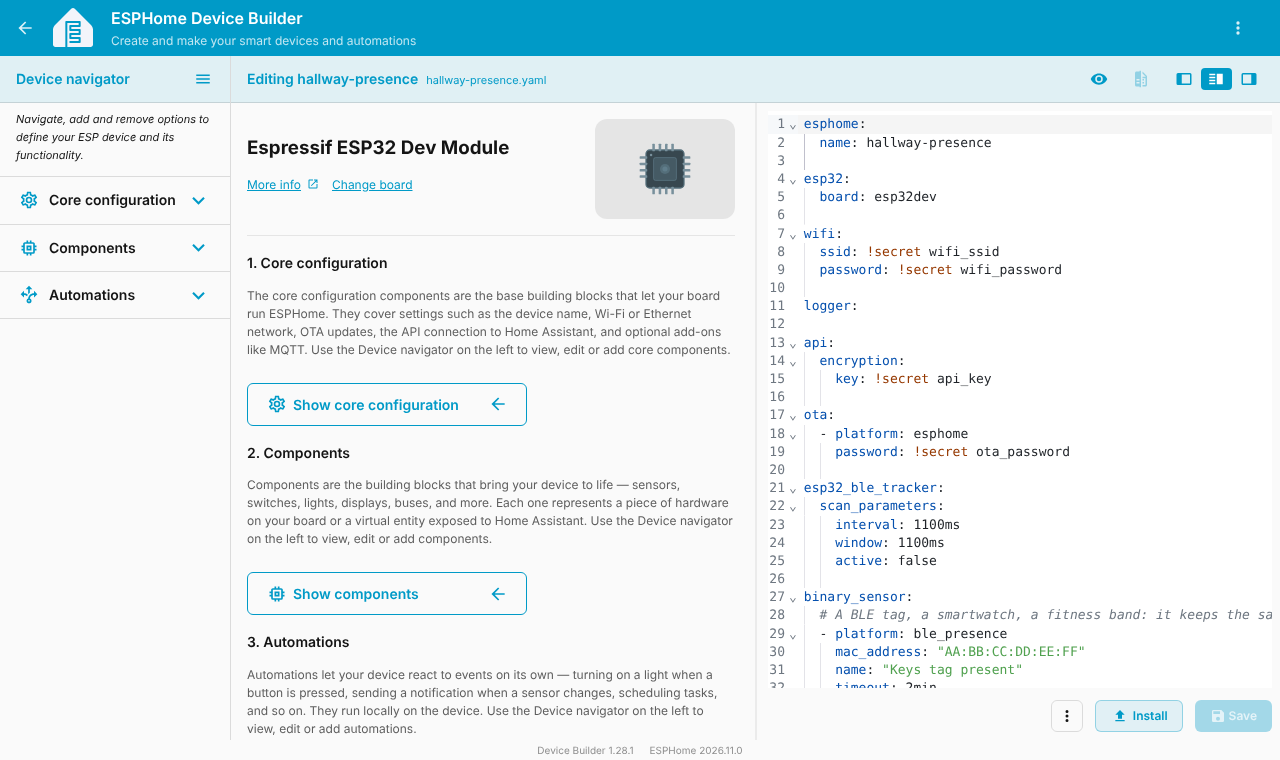
Step 2: the presence configuration
esphome:
  name: hallway-presence

esp32:
  board: esp32dev

wifi:
  ssid: !secret wifi_ssid
  password: !secret wifi_password

logger:

api:
  encryption:
    key: !secret api_key

ota:
  - platform: esphome
    password: !secret ota_password

esp32_ble_tracker:
  scan_parameters:
    interval: 1100ms
    window: 1100ms
    active: false

binary_sensor:
  # A BLE tag, a smartwatch, a fitness band: it keeps the same MAC address
  - platform: ble_presence
    mac_address: "AA:BB:CC:DD:EE:FF"
    name: "Keys tag present"
    timeout: 2min
    min_rssi: -85dB

  # An iPhone or modern Android phone: its address changes, so use the IRK
  - platform: ble_presence
    irk: "0123456789abcdef0123456789abcdef"
    name: "Phone present"

sensor:
  - platform: ble_rssi
    mac_address: "AA:BB:CC:DD:EE:FF"
    name: "Keys tag signal"

text_sensor:
  - platform: ble_scanner
    name: "BLE devices nearby"
What each part does:
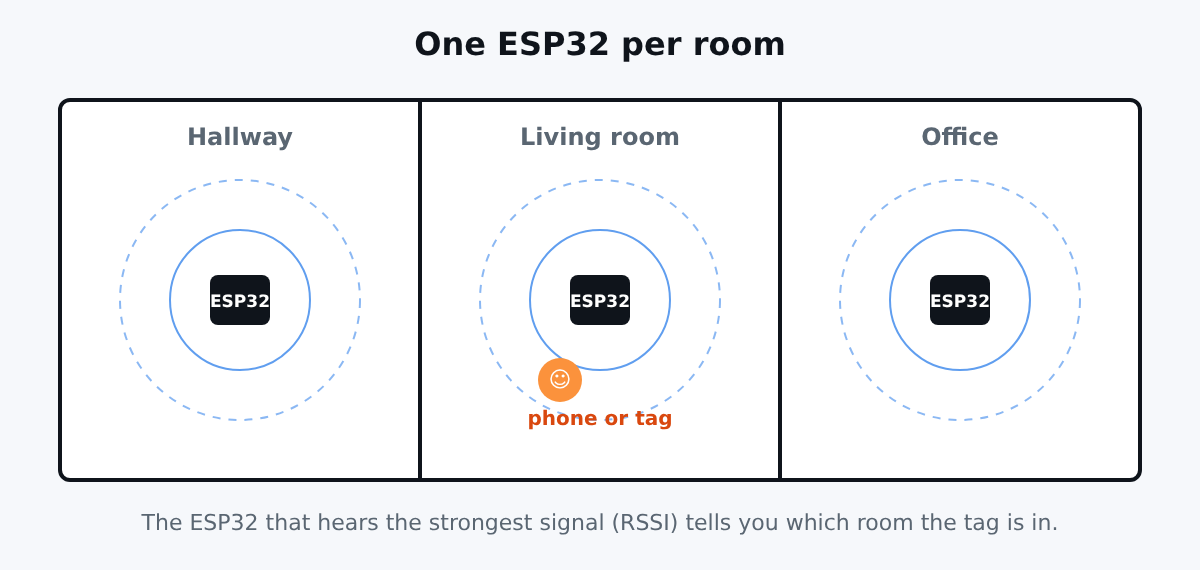
ble_presenceis a binary sensor: on when the device is heard, off after thetimeoutwithout hearing it.min_rssi: -85dBignores very weak signals, so a tag in the neighbour's flat does not count.ble_rssipublishes the signal strength. With one ESP32 per room, the one with the strongest value tells you the room.scan_parameterswithintervalequal towindowmakes the ESP32 scan almost continuously.active: falsekeeps scanning passive, so nothing is sent.
Phones: the MAC address problem
Modern iPhones and Android phones use a random, changing MAC address for privacy. A fixed mac_address will not work for them. Two solutions:
- Use the IRK (identity resolving key), a secret key that lets ESPHome recognise the phone despite the changing address. Getting it requires pairing information from the phone, and it is not trivial on iOS.
- Use a dedicated tag or a smartwatch: they keep a stable address. This is simpler and more reliable, and it is what I recommend.
Flash and test
docker run --rm -p 6052:6052 -v "$PWD/config":/config esphome/esphomeInstall, wait for Wi-Fi, then walk out of range and back. After the timeout the sensor switches to off, then back to on.
Home Assistant
The sensors appear automatically. Create an automation like "if nobody is present for 10 minutes, turn the lights off". For rooms, compare the ble_rssi values of several ESP32 boards.
Limits to know
- Range is around 10 metres, and walls reduce it. Test and tune
min_rssi. - The BLE stack uses a lot of RAM and shares the radio with Wi-Fi. Do not stack too many features on a single board.
- Privacy: detecting people by their devices is personal data in many places. Use it at home, with the consent of the people concerned.
- Presence is a good guess, not a proof. A tag left on the table says someone is home.
Conclusion
An ESP32 per room, a tag per person, and your home knows who is there. Combine it with the DHT22 sensor or the Mijia thermometer on the same board.
This configuration was validated with esphome config, not tested with your devices. The MAC address and IRK are placeholders.